Build an AI Chatbot for React Native in Minutes
Stop spending weeks building chat infrastructure. VibeFast gives you a production-ready AI chatbot with streaming, multi-model support, and file attachments—all wired up and ready to ship.
😤 The Problem
Building an AI chatbot in React Native from scratch is painful:
- ✗Streaming responses are tricky with React Native's bridge
- ✗OpenAI, Gemini, Claude all have different APIs
- ✗File upload + image analysis needs custom backend work
- ✗Error handling, retries, and edge cases take forever
- ✗Making it look good with typing indicators and animations
Total time: 2-4 weeks
✨ The VibeFast Solution
All the hard parts are already done. You focus on your app:
- ✓Streaming works out of the box with proper buffering
- ✓One API wrapper for OpenAI, Gemini, and Claude
- ✓File attachments with Convex/Supabase storage included
- ✓Production error handling and fallbacks built-in
- ✓Beautiful UI components with uniwind styling
Total time: 15 minutes
Everything You Need for AI Chat
A complete chatbot solution—not just UI components, but the full stack from frontend to backend.
Streaming Chat UI
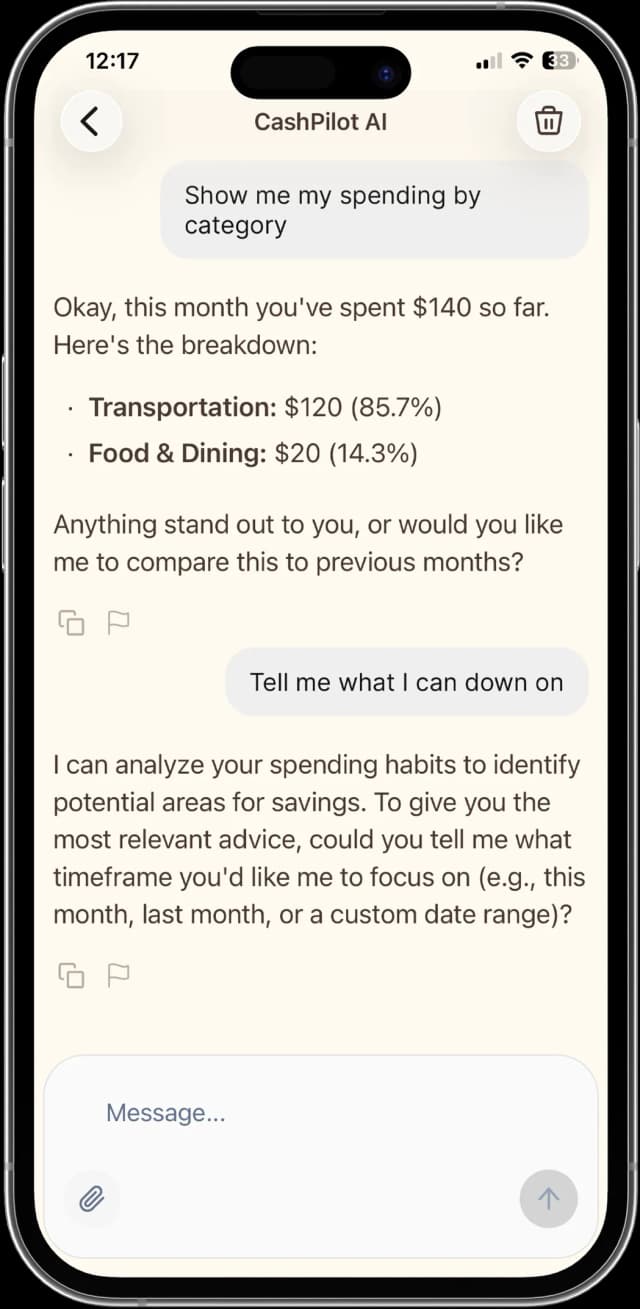
Real-time message streaming with typing indicators, markdown rendering, and code syntax highlighting. Just like ChatGPT.
Multi-Model Support
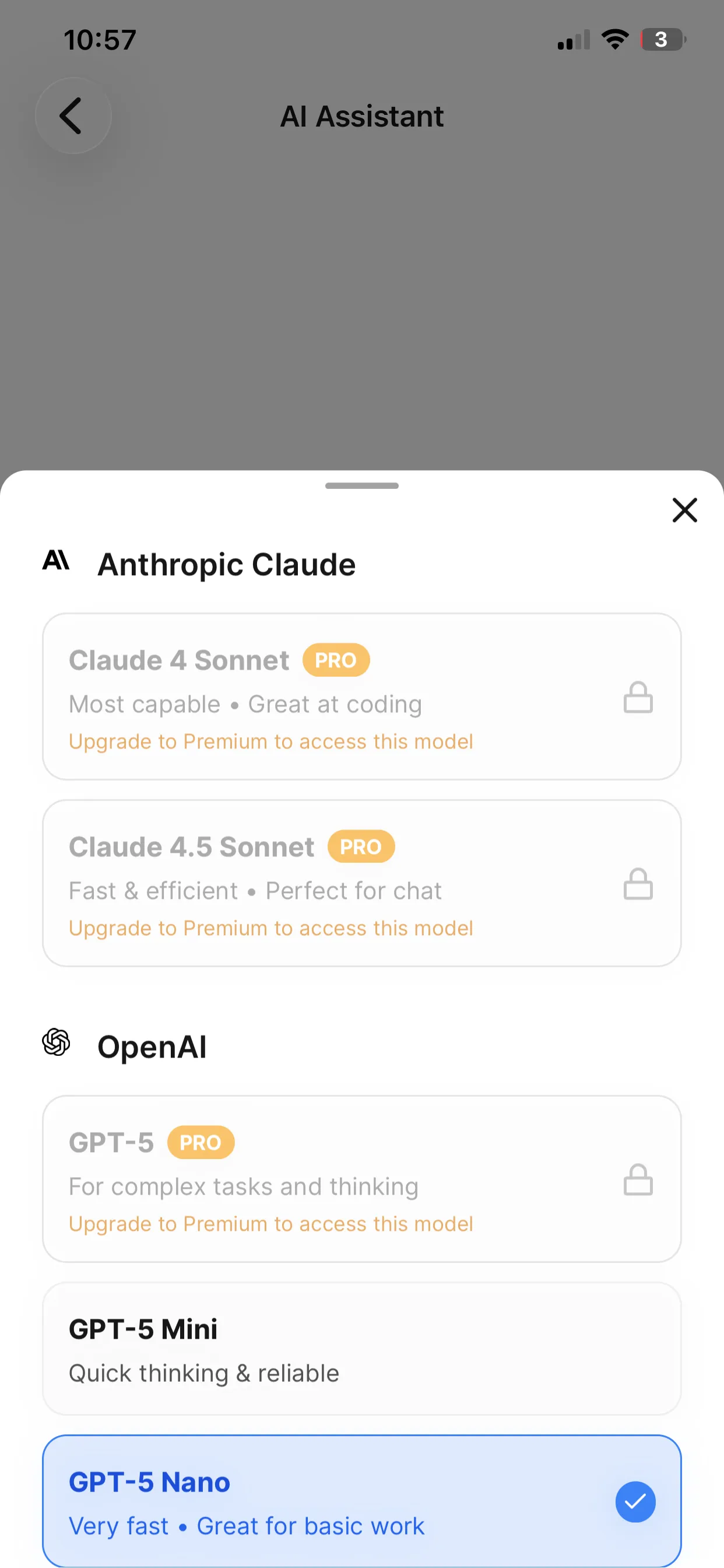
Switch between OpenAI GPT-4, Claude, and Google Gemini with a single env variable. No code changes required.
Production Ready
Built-in error handling, rate limiting, content moderation, and graceful fallbacks for production apps.
Backend Tools
RAG retrieval, web search, user profile access, and custom tool calling powered by backend functions (Convex or Supabase).
File Attachments
Upload images, PDFs, and documents. AI can analyze and respond to attached content seamlessly.
15 Minutes Setup
From npm install to working chatbot in under 15 minutes. All the boring parts are already done.
Simple, Clean API
Drop this into your React Native app and you're ready to chat.
import { useChatHandlers } from "@/features/chatbot/hooks/use-chat-handlers";
import { ChatInputBar } from "@/features/chatbot/components/chat-input-bar";
import { MessageList } from "@/features/chatbot/components/message-list";

export function ChatScreen() {
  const {
    messages,
    input,
    handleMessageSubmit,
    handleTextInputChange,
    isLoading,
  } = useChatHandlers({
    conversationId: "conv_123",
    preferredModel: "gpt-5-mini", // Ready for next-gen
  });

  return (
    <>
      <MessageList messages={messages} />
      <ChatInputBar
        input={input}
        onInputChange={handleTextInputChange}
        onSubmit={handleMessageSubmit}
        isLoading={isLoading}
      />
    </>
  );
}
That's it. Streaming, error handling, and UI are all handled for you.
VibeFast vs Building from Scratch
See how much time you save by starting with VibeFast.
| Feature | VibeFast | From Scratch |
|---|---|---|
| Streaming responses | 2-3 days | |
| Multi-model support | 1-2 days | |
| File attachments | 3-4 days | |
| Error handling | 1 day | |
| Markdown rendering | 4-8 hours | |
| Code highlighting | 4-8 hours | |
| Backend integration | 2-3 days | |
| Production ready | 1-2 weeks | |
| Total Time | 15 minutes | 2-4 weeks |
Under the Hood
Architecture
The chatbot uses a clean separation between UI and logic:
- UI Layer →React Native components (ChatBubble, MessageList, Composer)
- Hook Layer →useChatbot manages state, streaming, and optimistic updates
- API Layer →Convex actions handle LLM calls, tools, and storage
- LLM Layer →Vercel AI SDK abstracts OpenAI, Gemini, Claude differences
Tech Stack
Frequently Asked Questions
What AI models does the chatbot support?
The starter kit is future-proofed with support for next-gen models including GPT-5, GPT-5 Mini, Gemini 2.5 Flash/Pro, and Claude 4.5 Sonnet. It also supports current production models like GPT-4o, Claude 3.5 Sonnet, and Gemini 1.5 Pro. You can switch models dynamically via the UI or configuration.
Does the chatbot work offline?
The AI response generation requires an internet connection. However, the app is built with offline-first principles: chat history is cached locally, the UI is fully functional offline, and messages are queued. For local AI, you can integrate on-device models like Llama.
How do I add custom tools?
VibeFast uses the backend (Convex or Supabase) for tool execution. You can define tools in TypeScript (e.g., web search via Tavily, database queries, API calls) and the AI agent will automatically call them when needed. The starter kit includes examples for RAG and web search.
Can I customize the chat UI?
Yes, the UI is built with uniwind (Tailwind for React Native). Components like ChatMessageBubble, ChatInputBar, and ModelSelector are fully customizable. You can easily change colors, typography, and layout to match your brand.
How much does it cost to run?
You pay your AI provider directly (OpenAI, Anthropic, Google). The backend (Convex or Supabase) has a generous free tier. The starter kit is a one-time purchase. Token usage tracking is included so you can monitor costs.
Is it production ready?
Yes. It includes essential production features: persistent streaming, error boundaries, rate limiting, moderation hooks, and optimistic UI updates. It handles edge cases like network dropouts during streaming gracefully.
Ready to Build Your AI Chatbot?
Get VibeFast and ship your AI-powered React Native app this week, not next month.
One-time purchase. Lifetime updates. Commercial license included.