Email + OTP + Guest Authentication
Configure email verification, password reset, and guest flows for your backend.
VibeFast ships with email-backed flows for signup verification codes, password resets, and anonymous guest sessions.
NOTE: While our starter defaults to OTP (One-Time Password) for Convex and Magic Links for Supabase, both types of passwordless authentication are available on both backends.
Guest Authentication
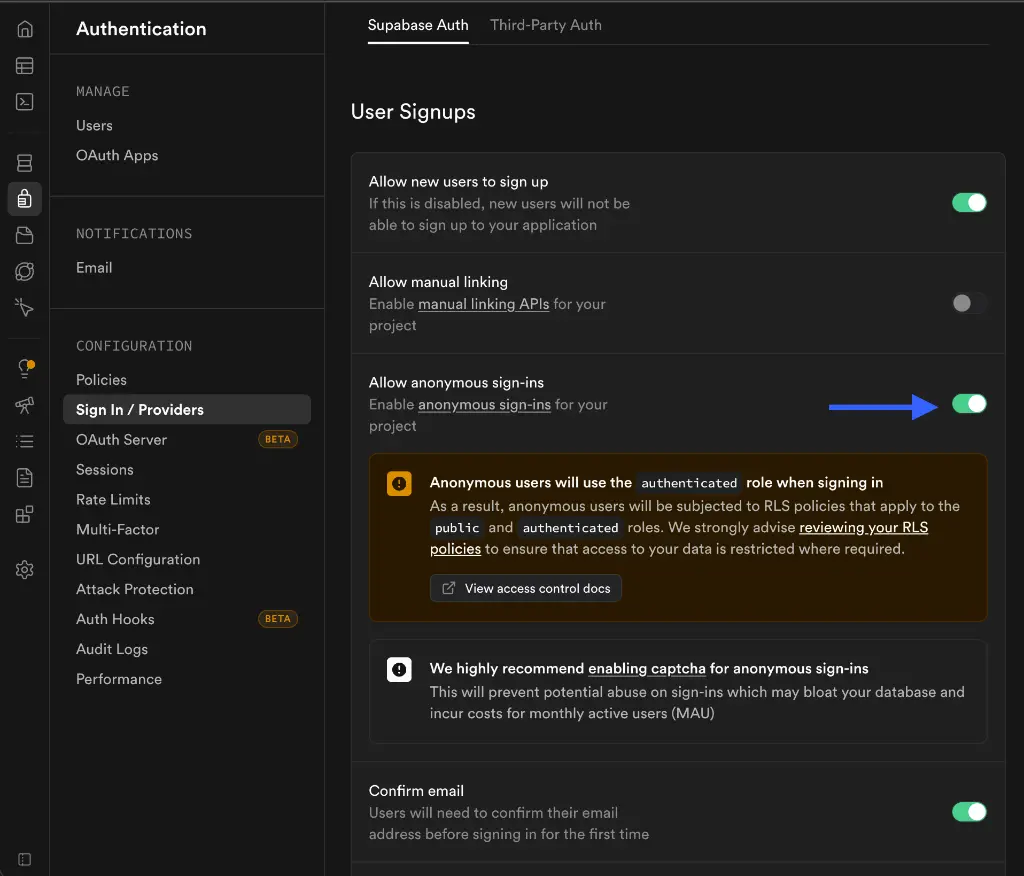
Guest (anonymous) authentication is already handled in the codebase, when you ran starter-setup script or ran pnpm dev:server it automatically enables guest authentication.
To allow guest logins, you must enable anonymous sign-ins in your Supabase project:
- Go to Authentication > Sign In / Providers.
- Enable Allow anonymous sign-ins.
Email Verification (Optional)
You can decide whether to require users to confirm their email address before they can log in.
Email verification is toggled via the SEND_OTP_ON_SIGNUP environment variable in convex (by default it is set to true)
- Set to
falseto allow users to sign in immediately without OTP verification.
cd packages/backend
npx convex env set SEND_OTP_ON_SIGNUP false
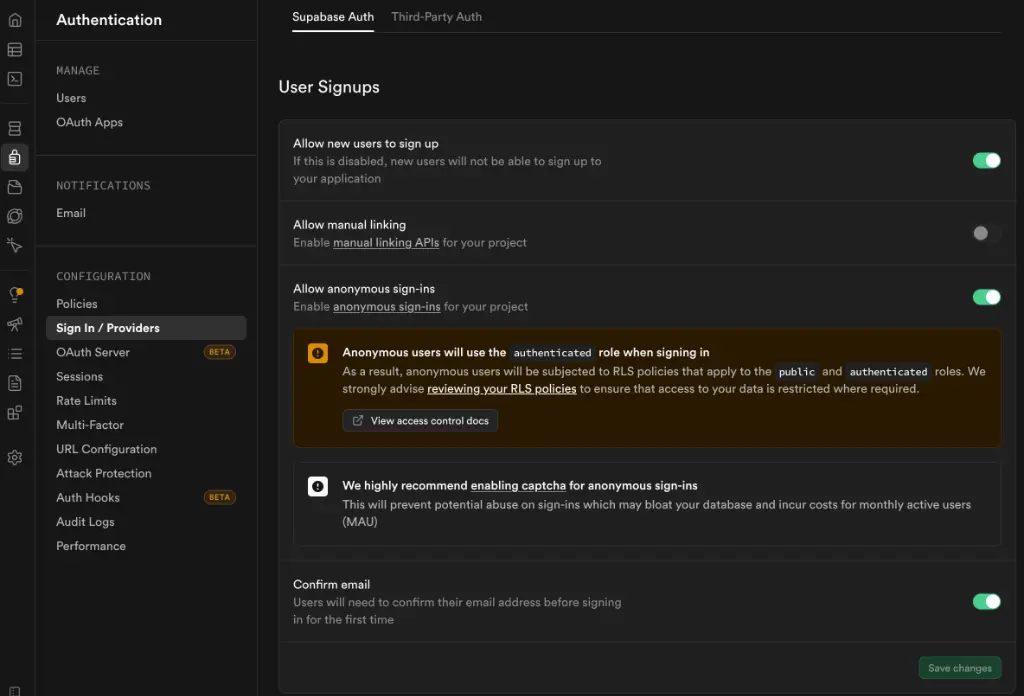
In your Supabase Dashboard, go to Authentication > Sign In / Providers and find the Confirm email toggle:
- ON: Users must verify their email via a sent link before they can access protected routes.
- OFF: Users are immediately authenticated upon signup.
Configure Resend
The backend uses Resend for email delivery. Files: packages/backend/convex/authCustomEmailOtpProvider.ts, authOtp.ts, authPasswordResetActions.ts, and shared/email.ts.
Set your Resend API key:
npx convex env set AUTH_RESEND_KEY your_resend_api_key
npx convex env set AUTH_EMAIL "VibeFast <[email protected]>"
npx convex env set SEND_OTP_ON_SIGNUP true
Signup + verification codes
- Signup screen calls
api.authOtp.signUpWithOtpwhich stores the OTP and emails via Resend - Users verify with
api.authOtp.verifyOtpAndCreateUser - Re-call
signUpWithOtpto regenerate and re-send
Password reset
api.authPasswordResetActions.requestPasswordResetcreates a 1-hour token and emails a reset link- User opens link and submits new password via
api.authPasswordResetActions.resetPassword
Configure Supabase Auth
Supabase handles email verification and password resets automatically via the Supabase Dashboard.
Enable email auth
- Go to Authentication > Providers > Email in your Supabase Dashboard
- Customize email templates under Authentication > Email Templates
Found an issue or bug in the docs?
Help me improve! If you spot any errors, typos, or have suggestions, please let me know.
Reach out on X/Twitter @zafarbuildzz