Add AI Image Analysis to Your Mobile App
Let users analyze photos with state-of-the-art vision AI. VibeFast includes GPT-4 Vision and Gemini integration, face analysis, OCR, and a beautiful results dashboard.
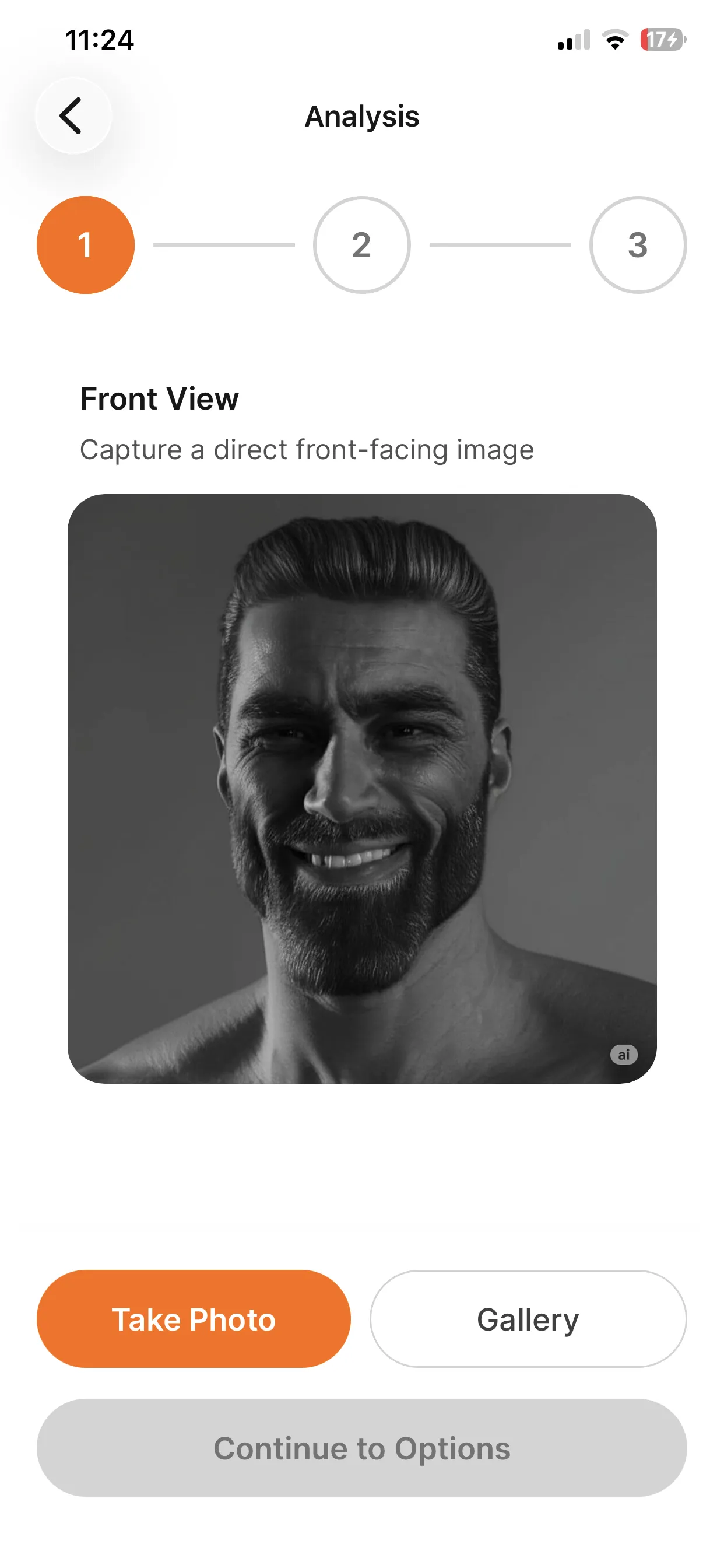
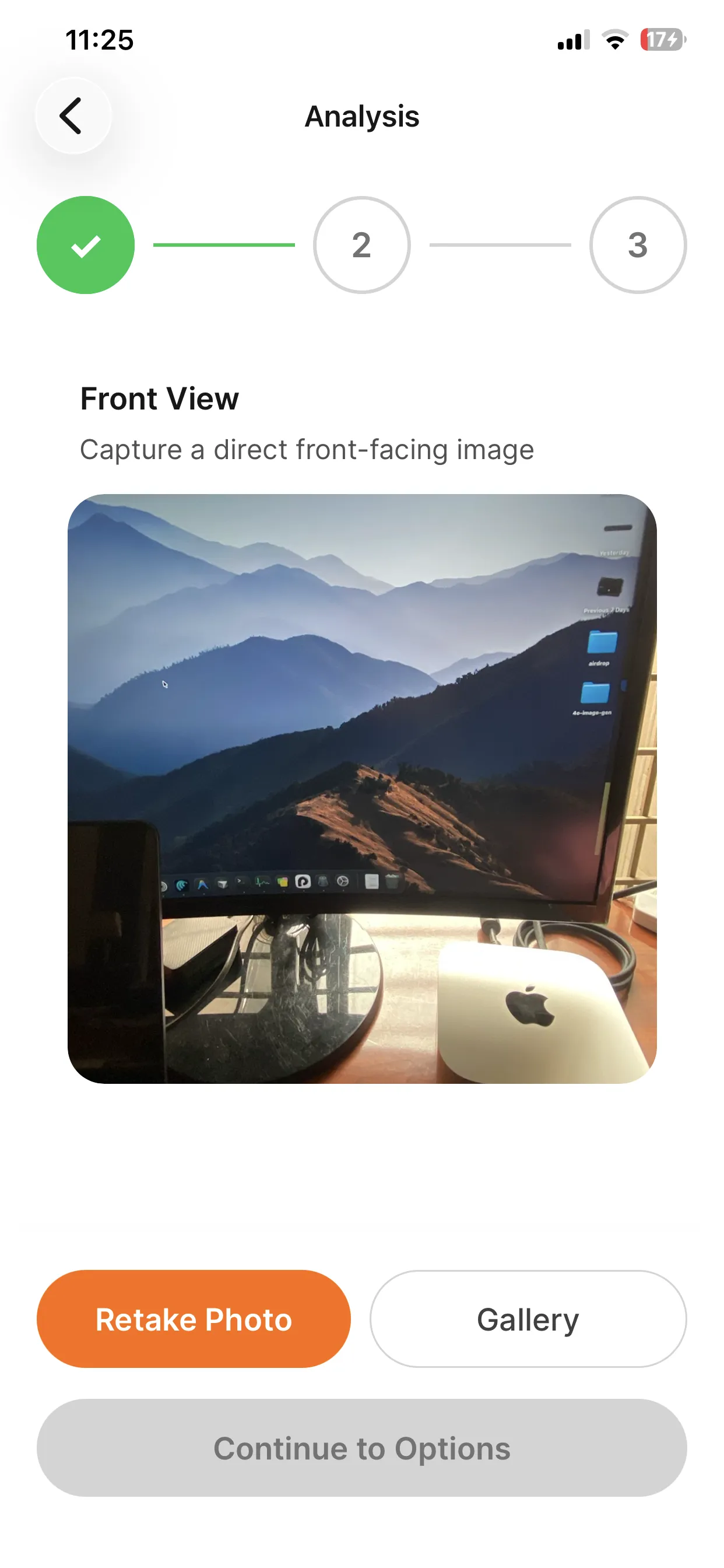
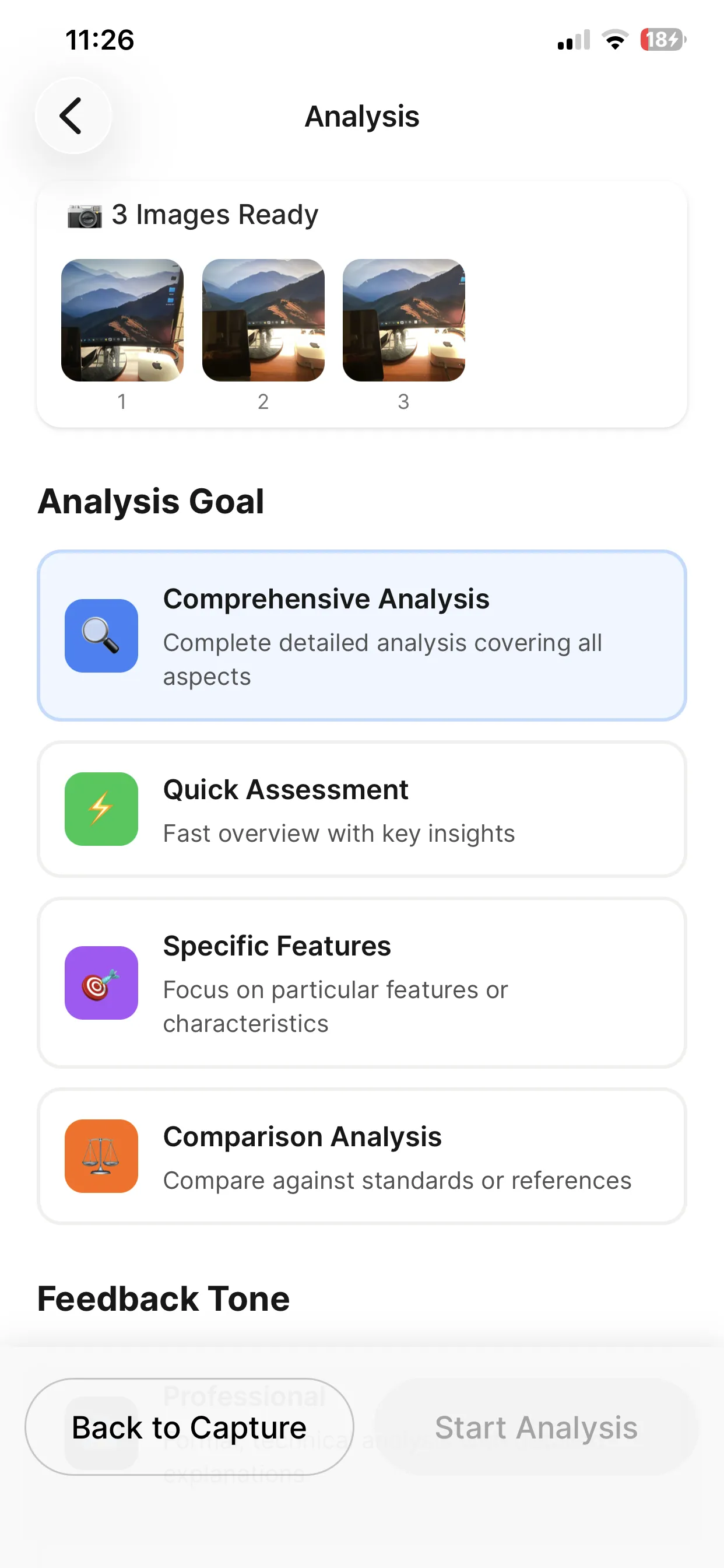
Complete Vision AI Stack
From camera capture to analysis results—everything you need.
Vision AI Analysis
Analyze images with GPT-4 Vision or Gemini. Describe content, extract details, answer questions.
Face Analysis
Detect and analyze faces in photos. Get traits, expressions, and demographic estimates.
Camera Integration
Built-in camera capture flow with image picker fallback. Works on iOS and Android.
Text Extraction (OCR)
Extract text from images including receipts, documents, and signs.
Results Dashboard
Beautiful UI for displaying analysis results with scores, traits, and insights.
Shareable Results
Let users share their analysis results to social media or save locally.
What's Included
Simple Integration
Analyze images with a few lines of code.
import { useAnalyzeImages } from "@/features/image-analyzer/hooks/use-image-analysis";

export default function AnalyzeScreen() {
  const analyze = useAnalyzeImages();

  const handleCapture = async (imageUris: string[]) => {
    const analysisId = await analyze({
      imageUris,
      preferences: {
        goal: "comprehensive",
        feedbackStyle: "professional",
      },
      // Configurable flows: 'face-analysis', 'dashboard-warning-check', etc.
      analysisConfigId: "face-analysis",
    });

    if (analysisId) {
      router.push(`/analysis/${analysisId}`);
    }
  };

  return (
    <View className="flex-1 p-4">
      <CameraCaptureFlow
        onComplete={handleCapture}
        stepConfig={FACE_ANALYSIS_STEPS}
      />
    </View>
  );
}// Define custom analysis flows
export const CAR_DIAGNOSIS_FLOW = {
id: 'car-check',
name: 'Car Diagnosis',
icon: '🚗',
photoSteps: [
{
id: 'dashboard',
label: 'Dashboard',
description: 'Photo of warning lights'
},
{
id: 'engine',
label: 'Engine Bay',
description: 'Photo of the engine'
}
],
defaultPreferences: {
goal: 'diagnose_issues',
feedbackStyle: 'technical'
}
};Save Weeks of Development
| Feature | VibeFast | From Scratch |
|---|---|---|
| GPT-4 Vision integration | 1-2 days | |
| Gemini Vision integration | 1-2 days | |
| Camera and picker flow | 1 day | |
| Results dashboard UI | 2-3 days | |
| Backend storage | 1-2 days | |
| Shareable results | 1 day | |
| Provider switching | 0.5 day | |
| Total Time | Ready today | 1-2 weeks |
Frequently Asked Questions
What types of image analysis are supported?
VibeFast supports general image analysis (describe what's in a photo), face analysis (detect traits, expressions, demographics), object detection (identify items in photos), and text extraction (OCR for documents and signs). You can also create custom analysis prompts for specific use cases.
Which AI providers are used for analysis?
VibeFast supports OpenAI GPT-4 Vision and Google Gemini for image analysis. Both are state-of-the-art vision models. You can switch between them with an environment variable—no code changes needed.
How accurate is the face analysis?
Face analysis uses the vision models' capabilities which are quite accurate for general traits and expressions. However, for production apps requiring high accuracy (like biometric verification), you may want to integrate specialized services. The VibeFast implementation is great for fun/engagement features.
How do I handle user privacy for photo analysis?
Images are processed through the AI provider and stored in Convex. You should add appropriate privacy disclosures and consider implementing auto-deletion policies. The architecture supports client-side-only processing if you need to avoid server storage entirely.
Can I add custom analysis types?
Yes. The analysis prompts are configurable, so you can create custom analysis types for your specific use case—like food analysis for a nutrition app, product analysis for e-commerce, or document analysis for a productivity app.
Does it work offline?
The AI analysis requires an internet connection since it uses cloud APIs. However, you can implement local caching of results and show previously analyzed images offline. For true offline analysis, you'd need to integrate an on-device ML model.
Ready to Add Vision AI?
Get VibeFast and let your users analyze photos with AI.
One-time purchase. Lifetime updates. Commercial license included.